Reader-supported: when you sign up through links on this page we may earn a commission at no extra cost to you. It never changes our recommendations. See our Affiliate Disclosure and Editorial Policy.
Most first TikTok campaigns fail for the same three reasons: the pixel was never installed properly, the budget was set at the platform minimum, and one video was expected to run for a month. None of those are difficult problems, but all three are invisible until the money is gone. This guide walks through the setup in the order it should be done, with the specific numbers TikTok publishes and the ones that actually matter. It is written for a first campaign on a modest budget, not for an agency running eight figures. We built it from TikTok’s own Ads Manager documentation and published 2026 benchmark compilations, in line with our research methodology.
Quick answer: Install the TikTok Pixel first, pick one conversion objective, budget at least $50 a day at campaign level and ideally $100 or more per ad group, launch with four to six distinct videos rather than one, and leave the campaign alone for at least three days before judging it. Refresh creative every five to seven days.
Before you build anything: three prerequisites
- A TikTok Business account and Ads Manager access. Free to open. If you plan to boost your own organic posts as Spark Ads later, connect the content account now rather than mid-campaign.
- The TikTok Pixel or Events API installed and verified. This is not optional. Without conversion signal flowing back, the algorithm optimises blind and you cannot tell a good ad from a lucky one. Fire a test event and confirm it lands before you spend a dollar.
- Four to six finished videos. Not one hero asset. TikTok’s auction rewards creative variety, and you will need replacements within the week regardless of how the first ones perform.

Step 1: Choose one objective, not three
Ads Manager offers awareness, consideration, and conversion objectives. For a first campaign with a finite budget, pick the objective that matches the action you can actually measure: usually Website Conversions or Product Sales if you sell online, Lead Generation if you do not.
Resist the temptation to run an awareness campaign “to warm the audience up first.” With a small budget you will simply buy impressions you cannot attribute. Go straight for the conversion event, gather data, then expand upward once something works.
Step 2: Set the budget properly
TikTok’s published floors, per its Ads Manager budget documentation, are $50 per day at campaign level and $20 per day at ad group level. Two mechanics worth knowing before you type a number:
- The threshold is strict: $20.01 clears, $20.00 does not.
- You cannot switch between daily and lifetime budget types after a campaign goes live, so choose deliberately. Daily is more forgiving for a first run.
- A lifetime budget must clear the daily floor across the whole flight, so a 31-day ad group needs at least $620.
Here is the part most guides omit. TikTok’s optimisation engine needs roughly 50 conversion events per ad group per week to leave the learning phase. Work backwards from your own economics:
| Your target cost per conversion | Spend needed for ~50 weekly conversions | Daily budget per ad group |
|---|---|---|
| $10 | $500 / week | ~$71 |
| $25 | $1,250 / week | ~$179 |
| $50 | $2,500 / week | ~$357 |
If those numbers are out of reach, that is useful information rather than a dead end. Optimise for a cheaper upstream event, such as add-to-cart or a lead form completion, so the algorithm gets enough signal at a budget you can sustain. Running a purchase-optimised campaign on $20 a day mostly buys silence.
Step 3: Keep targeting loose
The instinct from other platforms is to stack interest, behaviour, and demographic filters until the audience feels precise. On TikTok that instinct is expensive. The algorithm finds buyers from creative signals faster than from your assumptions, and a narrow audience starves it of the volume it needs to learn.
For a first campaign: set your country, set an age floor if you have a legal or product reason to, and stop. Add exclusions for existing customers if you have that list. Save detailed interest targeting for after you have a baseline to compare against.
Step 4: Build creative that does not look like advertising
This is where campaigns are won. The formats worth knowing:
- In-Feed Ads are purpose-built videos placed into the feed.
- Spark Ads boost an existing organic post, yours or a creator’s, keeping its comments, likes, and profile attribution. Benchmark compilations consistently show Spark Ads outperforming standard in-feed placements on click-through rate and cost per click, largely because they read as content rather than advertising.
- Video Shopping Ads and Catalog Ads pull from a product feed and suit ecommerce catalogues.
- Search Ads, rolled out broadly from late 2025, add keyword-driven placement to what was a purely feed-based platform.
Practical rules for the videos themselves:
- Hook in the first two seconds. Lead with the product in use, the problem, or the result. Logo-first openings lose the scroll.
- Shoot vertical, native, and imperfect. Polished brand films underperform phone-shot footage in this feed with striking consistency.
- Caption everything. A large share of viewing happens with sound off.
- Launch four to six variants with genuinely different hooks, not four colour grades of the same edit.
Step 5: Launch, then leave it alone
Give the campaign at least three days before making judgements, and avoid editing budgets or targeting inside that window; every significant edit restarts the learning process. Check that delivery has started and that conversions are registering, then step back.
What to watch once data accumulates:
- CTR falling while CPM rises is the classic signature of creative fatigue. It is a creative problem, never a bidding problem. Swap the assets.
- Spend not pacing usually traces to a budget below the effective floor, over-narrow targeting, or an ad still in review.
- Conversions reported in Ads Manager but absent from your own analytics point to attribution-window differences rather than fraud. Reconcile on your own numbers, not the platform’s.

Step 6: Refresh creative on a schedule
Advertisers who replace creative every five to seven days hold click-through rates far more stably while scaling than those who let winners run until they die. Build the refresh into your calendar before launch, because after launch it always slips.
A workable cadence for a small team: film a batch of six videos, launch four, hold two in reserve, and shoot the next batch while the first is running. Once you have several proven winners and consistent conversion volume, TikTok’s automated Smart+ campaigns become worth testing; they need multiple creative assets and considerably more budget headroom than manual campaigns, so they are a graduation step rather than a starting point.
The five mistakes that waste first budgets
- Running at the platform minimum. $20 a day keeps a campaign alive without ever teaching it anything.
- One video, one ad group. No variety means no learning and fatigue within days.
- Editing daily. Every meaningful change resets the learning phase.
- Repurposing a landscape brand film. Letterboxed horizontal video signals “advertisement” instantly.
- Skipping pixel verification. The most expensive five minutes anyone ever saves.
Bottom line
A first TikTok campaign done properly is not complicated: pixel verified, one conversion objective, budget set from your real cost per conversion rather than the platform floor, broad targeting, four to six native videos, three days of patience, then a creative refresh every week. The platform’s costs are genuinely accessible, with in-feed CPCs around $1 and CPMs in the mid-single digits for many verticals, but only for advertisers who treat creative production as the recurring cost it is. For the wider picture on formats, pricing, and whether the channel suits your business at all, see our TikTok for Business review. If you are producing product videos at volume, our guide to making TikTok Shop product videos with Pippit AI covers the production side.
Set up your TikTok for Business account →
Sources cited in this guide
- Campaign and ad group budget minimums, budget type rules — TikTok Ads Manager help centre
- Bidding and delivery mechanics — TikTok Ads Manager budget and bidding FAQ
- 2026 CPC and CPM benchmarks by industry — Digital Applied
- Creative refresh cadence and fatigue signals — WebFX 2026 TikTok benchmarks
Frequently asked questions
What is the minimum budget to run TikTok ads?
TikTok requires $50 per day at campaign level and $20 per day at ad group level, and the threshold is strict, so $20.01 clears where $20.00 does not. Those are survival minimums, not effective ones: to gather the roughly 50 weekly conversions the algorithm needs, work backwards from your target cost per conversion, which typically lands between $70 and $180 a day per ad group.
How long should I wait before judging a TikTok campaign?
At least three days, and preferably a full week. Editing budgets, targeting, or creative during that window restarts the learning phase and resets whatever progress the algorithm made. Verify that delivery has started and conversions are registering, then leave it alone.
How many videos do I need to start?
Four to six genuinely different videos, not variations of one edit. Creative variety is what the auction rewards, and you will need replacements within a week regardless of performance. Advertisers who refresh every five to seven days keep click-through rates stable far longer while scaling.
Why are my TikTok ads not spending?
The usual causes, in order: the budget sits below the effective floor for your bid, the audience is too narrow to deliver into, the ad is still in review, or the bid cap is set below what the auction currently clears. Broadening targeting and raising the ad group budget resolves most cases.
Should I use Spark Ads or standard In-Feed Ads?
Use Spark Ads when you have an organic post, your own or a creator’s, that already performs, since boosting it preserves the comments and profile attribution that make it read as content. Use In-Feed Ads when you need a purpose-built message or have no organic library yet. Many advertisers run both and let cost per result decide.
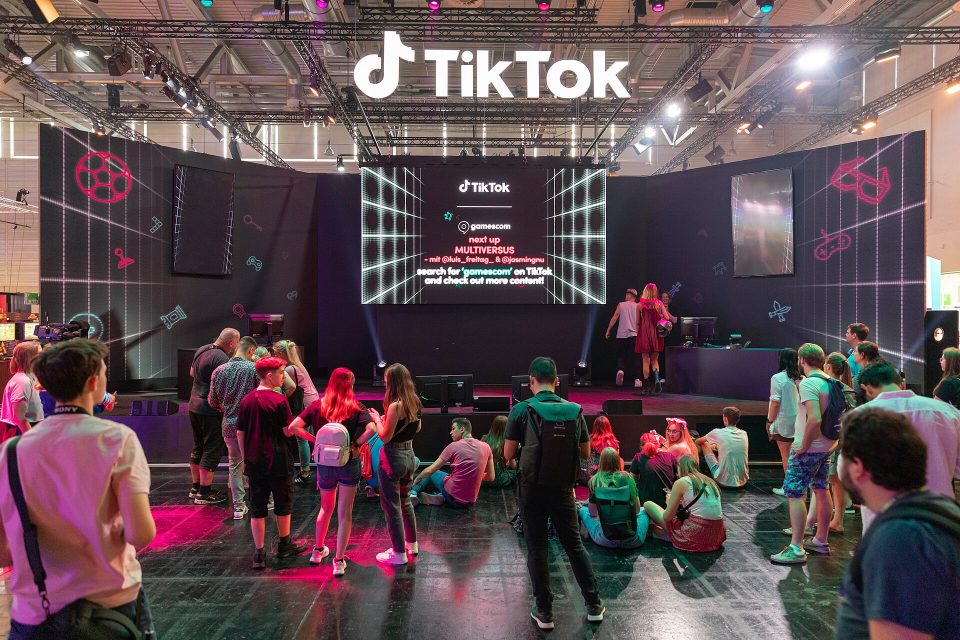
Image credits: TikTok exhibition stand at Gamescom 2022 by dronepicr (CC BY 2.0) via Wikimedia Commons; smartphone camera photo by Retro 56 and analytics photo by Serpstat (both CC0) via StockSnap.